Logitech MX Vertical Review: Is It Best for Carpal Tunnel Pain?
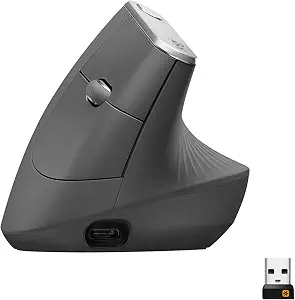
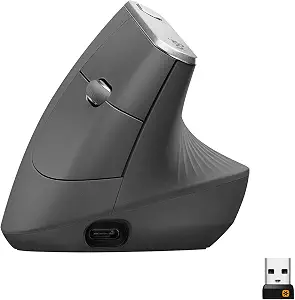
Logitech MX Vertical Wireless Mouse
A premium vertical ergonomic mouse with a 57° angle, textured thumb rest, and multi-device connectivity. Perfect for reducing wrist strain and all-day desk work.
Pros
- 57° angle keeps forearm in a natural handshake position
- Rechargeable via fast USB-C cable
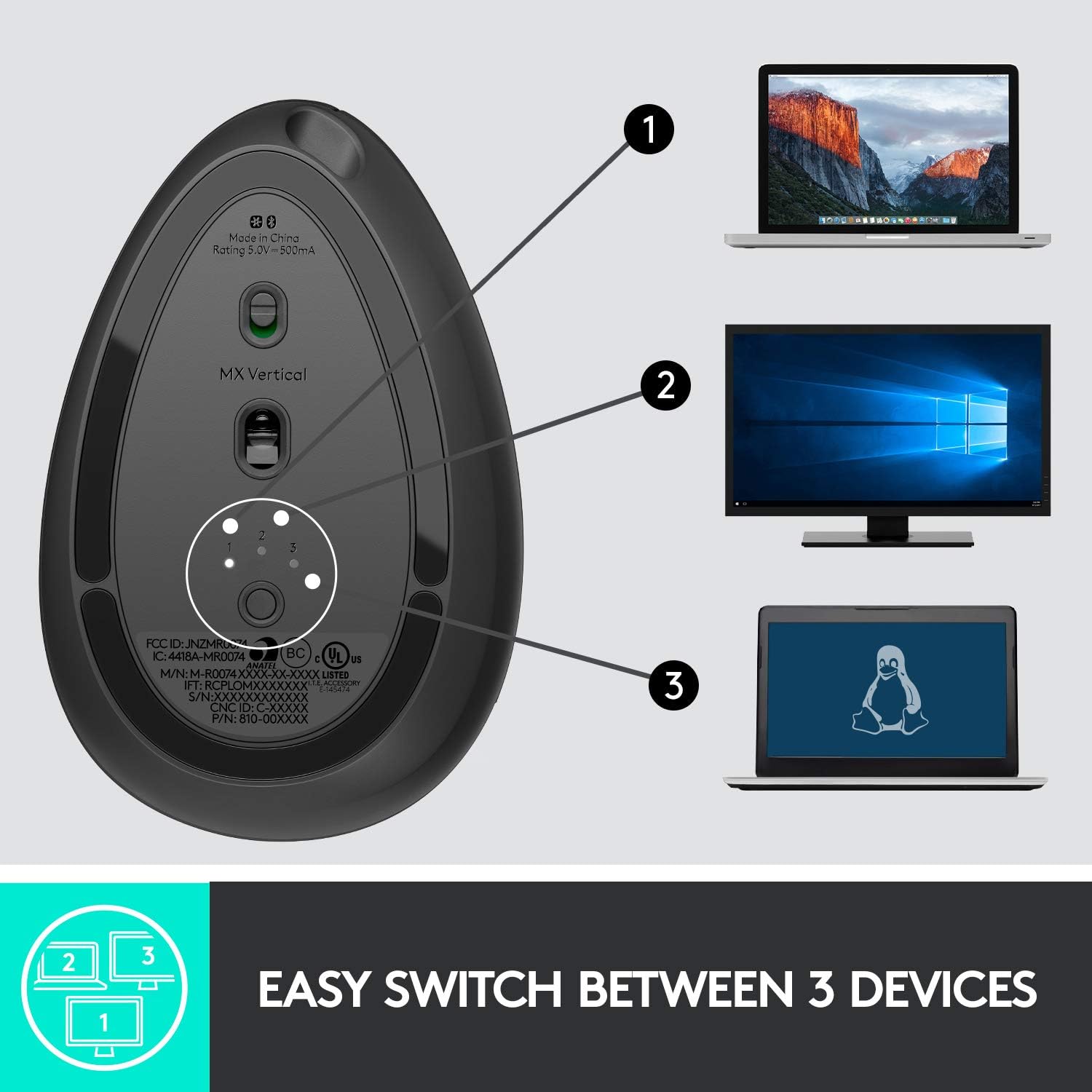
- Connects via Bluetooth or USB receiver
- Solid build quality with textured rubber grip.
Cons
- Larger and heavier than standard mice
- Right-handed design only.
In this in-depth review, we evaluate whether the Logitech MX Vertical delivers enough wrist pain relief and productivity features to justify its premium price tag.
Why the Logitech MX Vertical Helps Carpal Tunnel
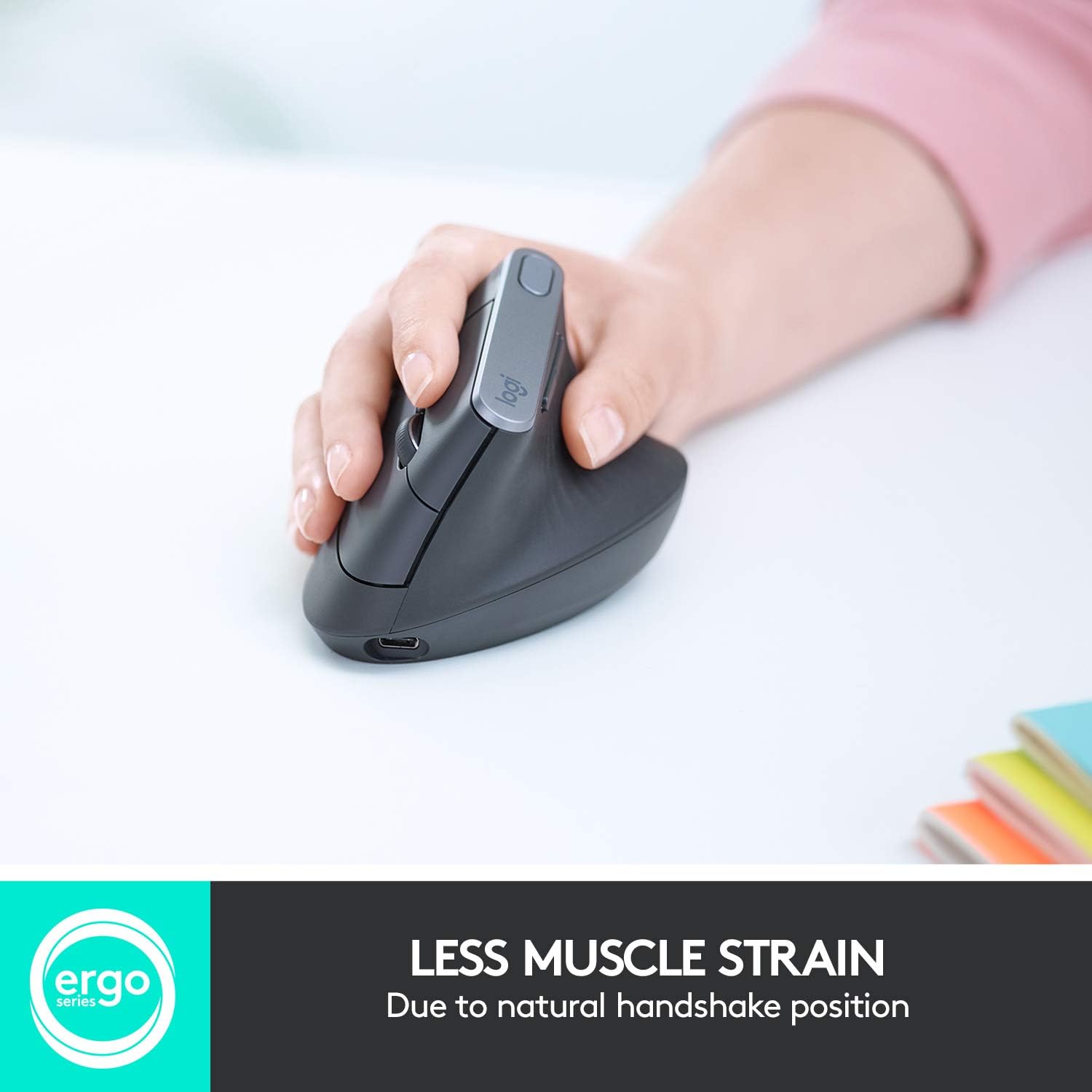
Standard mice force your forearm into a pronated position (palm flat facing down), which twists the radius and ulna bones and puts continuous pressure on the median nerve. The MX Vertical features a precise 57-degree vertical angle that relaxes muscles by up to 10% compared to traditional non-vertical mice.
By shifting the pressure off your wrist joint and onto the side of your hand, it allows for smooth tracking driven by your shoulder and forearm rather than micro-twisting your wrist.
Key Specifications & Features:
Ergonomic Angle: 57° vertical posture for optimal wrist alignment.
Sensor Accuracy: 4000 DPI high-precision sensor (reduces hand movement by 4x).
Triple Connectivity: Bluetooth, Logitech Unifying USB Receiver, or USB-C cable.
Battery Performance: Up to 4 months on a full charge; 1-minute quick charge yields 3 hours of use.
Multi-Device Control: Supports Logitech Flow for seamless multi-computer switching.
Pros and Cons
What We Like (Pros):
Instant Pain Relief: Significantly reduces median nerve pressure and wrist tendonitis discomfort.
Premium Build Quality: Textured rubber surface provides a firm, comfortable grip without slipping.
Customizable DPI Switch: Top-mounted button lets you instantly adjust pointer speed on the fly.
Fast USB-C Charging: Allows continuous work even while plugged in and charging.
What Could Be Improved (Cons):
Sizing Constraint: Best suited for medium to large hands; may feel bulky for small hands.
Right-Hand Only: No left-handed variant is currently produced by Logitech.
Final Verdict
For professionals, coders, and office workers suffering from chronic wrist strain or Carpal Tunnel Syndrome, the Logitech MX Vertical is an industry gold standard. It combines proven ergonomic health benefits with high-end desktop productivity features.